Included with Professional & Scale
3D product views for shoes & accessories
A closer look. From every angle.
Give your products another dimension. Open the demos, turn the shoes, and take a closer look at the details. Switch back to the original photo to compare.
Best for shoes and accessories. Included with Professional, Scale, and Enterprise using your existing credits. Starter does not include 3D.
White leather sneakers
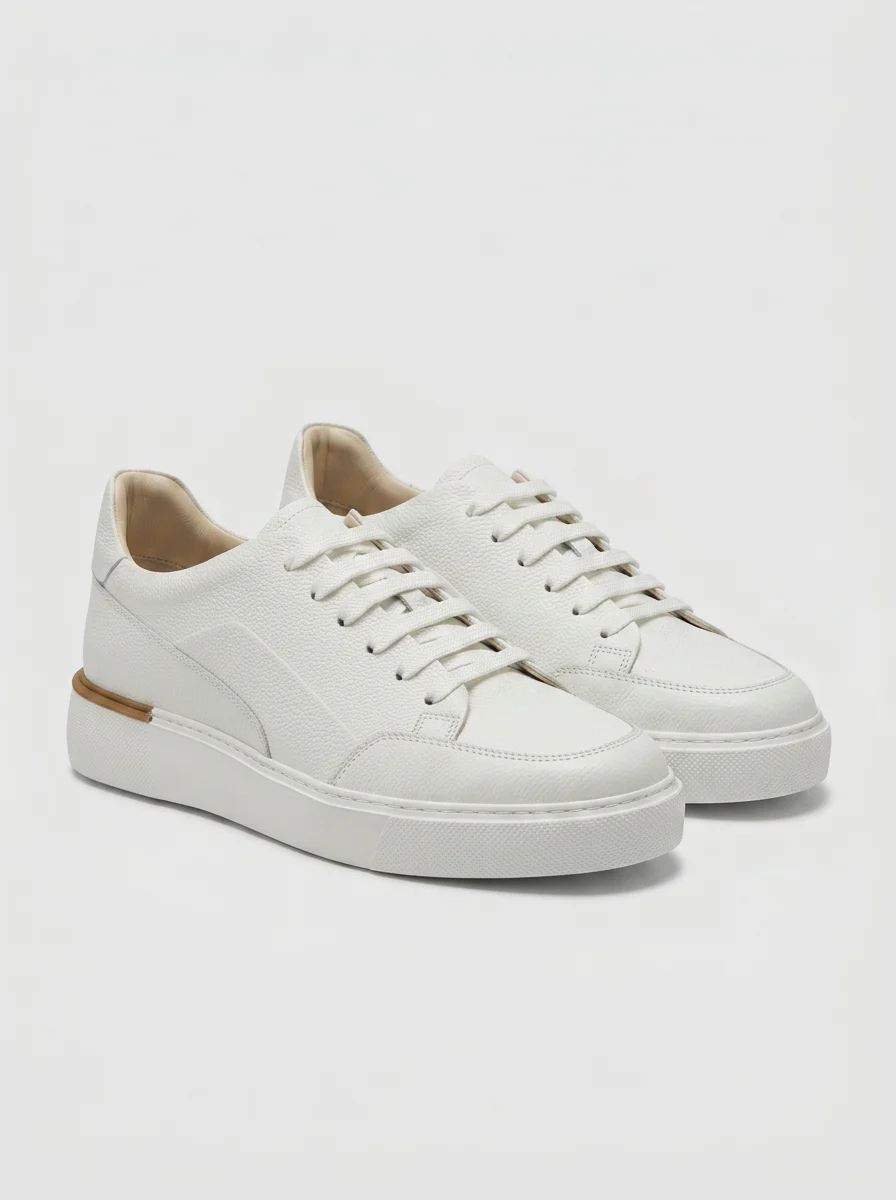
Turn it. Zoom in. See the details.
Original product photo
Brown tassel loafers
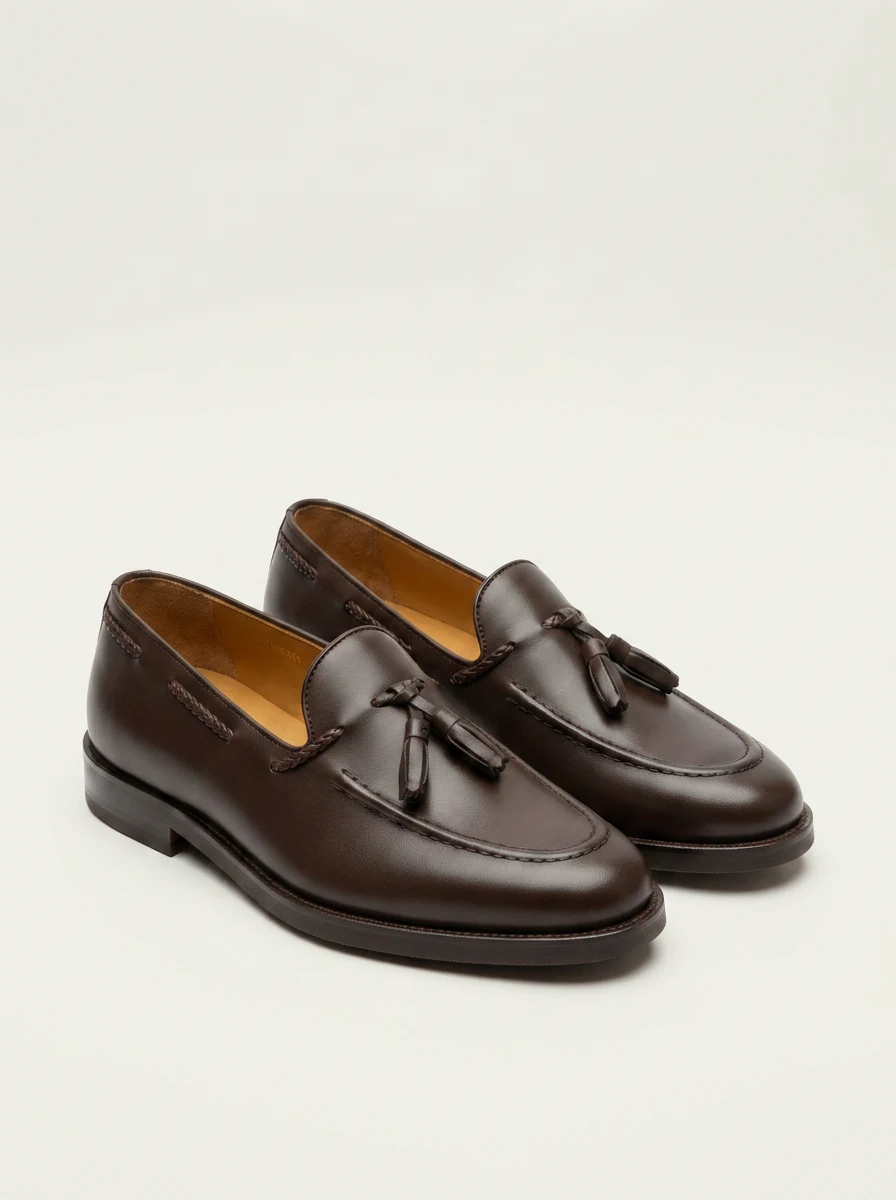
Turn it. Zoom in. See the details.
Original product photo
The product, considered
More to explore.
Less left to imagine.
From a sneaker’s profile to a loafer’s stitching, the details deserve attention. Each model starts with your product photographs and a careful review of the generated result.
01
Start with the product
Start with one fully visible shoe or accessory on a plain background. A clear three-quarter view gives a useful starting point; keep other photographs nearby to review the result.
02
Review it from every angle
Turn and zoom the generated model. Check the silhouette, leather or fabric, stitching, laces, and sole before deciding whether the result represents your product.
03
Prepare it for your store
Keep your product photograph first. A shopper chooses “View in 3D” to turn and zoom the product. Review the generated model before sharing it with customers.
Before you begin
A few things to know
Choose the right detail level, understand your plan, and prepare a 3D product view for your store.
Is 3D included in my Studio plan?
3D product views are included with Professional, Scale, and Enterprise, using your existing generation credits. Starter does not include 3D. Choose Quick for 3 credits, Balanced for 7 credits, or High detail for 14 credits per model.
Which 3D option should I choose?
Quick gives you a fast first look at the lowest credit cost, usually in about 1–2 minutes. Balanced spends more time on shape and materials, usually about 2–4 minutes. High detail gives the most attention to detail and takes longer, usually about 5–8 minutes. Timing varies with the product and queue.
Can you create a 3D shoe from one photograph?
Yes. Start with a clear product photograph. The model estimates surfaces it cannot see, so compare it with other photographs and the real item. Check hidden sides, branding, proportions, and materials before sharing.
Will the 3D view slow down my product page?
The product photo loads first. The interactive view loads only when someone chooses to open it, so visitors can browse normally without downloading 3D content. Loading time depends on the connection and device.
Can I add it to Shopify or another storefront?
You can use an embedded 3D viewer on a product page where your store supports embedded content. Contact us for help fitting the viewer into your Shopify theme or another storefront.
Does this also work for clothing?
3D works best for shoes and accessories. Clothing is more experimental because folds, drape, and hidden layers are harder to reconstruct from one photograph. A 3D view does not simulate fit or replace measurements.